Cryptocurrency gives you full control over your money. That freedom is powerful, but it also comes with responsibility. If you make a mistake while transferring crypto between wallets, there is usually no bank, no support desk, and no undo button to save you.
Learning how to move crypto safely between wallets is one of the most important skills for any investor, trader, or long-term holder. Whether you are shifting funds from an exchange to a hardware wallet, moving assets between personal wallets, or sending crypto to someone else, the process must be done carefully.
This guide explains how to transfer crypto between wallets step by step. It covers networks, transaction fees, confirmations, and the most common mistakes to avoid. By the end, you will know exactly how to move your crypto securely and confidently.
Understanding How Crypto Wallet Transfers Work
Before sending any cryptocurrency, it helps to understand what actually happens during a transfer.
Crypto is not physically moved from one place to another. Instead, ownership is updated on a blockchain. When you send crypto, you sign a transaction with your private key. The blockchain network verifies it and records that the coins now belong to the recipient address.
Every wallet has:
- A public address, which is like an account number you can share.
- A private key, which proves ownership and must never be shared.
When transferring crypto between wallets, you are sending funds from one public address to another on a specific blockchain network.
Step-by-Step Guide to Transfer Crypto Between Wallets
Moving crypto safely is mostly about careful verification. Follow this structured process each time.
- Identify the Correct Cryptocurrency and Network
The first step is to confirm the exact asset you are transferring. For example, Bitcoin runs on the Bitcoin network. Ethereum runs on the Ethereum network. Many tokens, such as USDT or USDC, exist on multiple networks like Ethereum, Tron, Binance Smart Chain, and others.
If you send crypto using the wrong network, you can permanently lose access to your funds.
Always check:
- The token name
- The network it is on
- Whether the receiving wallet supports that network
If you are transferring from an exchange, the withdrawal page will ask you to select a network. This is where many costly mistakes happen. Make sure the receiving wallet supports the same network you choose.
- Copy the Receiving Wallet Address Carefully
Next, get the receiving address from your destination wallet.
Open the wallet that will receive the funds.
Select the correct cryptocurrency.
Click on Receive.
Copy the wallet address exactly as shown.
Never type the address manually. Always use the copy button. Crypto addresses are long and case sensitive. One incorrect character can send funds to the wrong place.
It is also good practice to:
- Double-check the first and last four characters of the address
- Avoid copying addresses from suspicious sources.
- Ensure no malware is altering your clipboard.
- Initiate the Transfer from the Sending Wallet
Now go to the wallet or exchange where your crypto is currently stored.
Select Send or Withdraw.
Paste the receiving wallet address.
Choose the correct network.
Enter the amount you want to transfer.
Before clicking confirm, review everything:
- Is the address correct
- Is the network correct?
- Is the amount correct?
- Are the fees acceptable?
This final review is critical. Take your time.
Understanding Crypto Networks
A blockchain network processes and confirms transactions. Different cryptocurrencies operate on different networks. Some tokens operate on multiple networks.
For example:
- Bitcoin transactions only run on the Bitcoin network.
- Ether transactions run on the Ethereum network.
- USDT can run on Ethereum, Tron, or other networks, depending on the version.
If you send USDT from the Ethereum network to a wallet that only supports the Tron network, the transaction may not arrive properly.
This is why matching the sending and receiving networks is essential. Always verify network compatibility before confirming the transfer.
Understanding Transaction Fees
Every blockchain transaction requires a fee. This fee compensates network validators or miners for processing your transaction.
Fees vary depending on:
- The network you use
- Network congestion
- Transaction size or complexity
Bitcoin fees depend on block space demand.
Ethereum fees depend on gas prices.
Some networks, such as Tron and Polygon, generally offer lower fees than Ethereum mainnet.
When transferring crypto between wallets, the fee is usually deducted from your balance. Some exchanges also charge withdrawal fees that are separate from blockchain fees.
Before confirming a transaction, check:
- The total fee amount
- The final amount the recipient will receive
- Whether the fee makes sense for the size of your transfer
If you are moving a small amount, high fees can significantly reduce what arrives at the destination.
Confirmations and Processing Time
After sending crypto, the transaction is broadcast to the network. It must be validated and included in a block.
Each blockchain requires a certain number of confirmations before a transaction is considered final.
For example:
- Bitcoin may require multiple confirmations before funds are fully settled.
- Ethereum transactions often confirm faster, but still require block validation.
You can track your transaction using a blockchain explorer. Paste your transaction ID or wallet address into the explorer to see:
- Transaction status
- Number of confirmations
- Fee paid
- Timestamp
Processing time depends on network congestion and the fee you selected. Higher fees usually result in faster confirmation.
In most cases, transfers are complete within minutes. However, during high traffic periods, it may take longer.
Always wait for sufficient confirmations before assuming the transfer is complete.
Test Transactions for Large Transfers
If you are transferring a large amount of crypto, consider sending a small test transaction first.
Send a small amount to the destination wallet.
Wait for confirmation.
Verify it arrives correctly.
Then send the remaining balance.
This extra step can protect you from major loss if you accidentally select the wrong network or copy the wrong address.
It may cost an extra transaction fee, but it significantly reduces risk.
Security Best Practices When Moving Crypto
Transferring crypto safely is not only about technical steps. It is also about protecting yourself from security threats.
Follow these practices:
- Never share your private keys or seed phrase.
- Double-check URLs before logging into exchanges.
- Avoid sending funds over public WiFi.
- Enable two-factor authentication on exchanges and wallets.
- Keep hardware wallets offline when not in use.
Many crypto losses result from phishing attacks rather than transaction mistakes. Stay alert and verify every platform you use.
Common Mistakes to Avoid
Even experienced users make errors. Here are the most common mistakes to avoid when transferring crypto between wallets:
Sending to the wrong network
This is one of the most frequent and costly errors.
Copying the wrong wallet address
Always confirm the address matches the intended recipient.
Forgetting a memo or a tag
Some cryptocurrencies, such as XRP or certain exchange deposits, require a memo or destination tag. If required and not included, funds may not be credited properly.
Rushing the transaction
Take your time. Review everything before confirming.
Ignoring fees
Large fees can reduce your transfer amount significantly, especially on congested networks.
By avoiding these mistakes, you dramatically reduce the risk of losing funds.
When transferring crypto, the basic steps are straightforward. But once you move beyond small test transactions, a deeper understanding becomes important. The difference between a smooth transfer and a costly mistake often lies in the details.
Let us now explore advanced considerations, exchange withdrawals, hardware wallets, recovery possibilities, and a complete safety checklist to ensure every crypto transfer is secure.
Transferring Crypto from an Exchange to a Personal Wallet
One of the most common crypto transfers is moving funds from an exchange to a personal wallet. This is especially important if you want full custody of your assets.
When your crypto sits on an exchange, you do not control the private keys. The exchange does. Moving funds to your own wallet gives you complete ownership.
Here is how to do it safely:
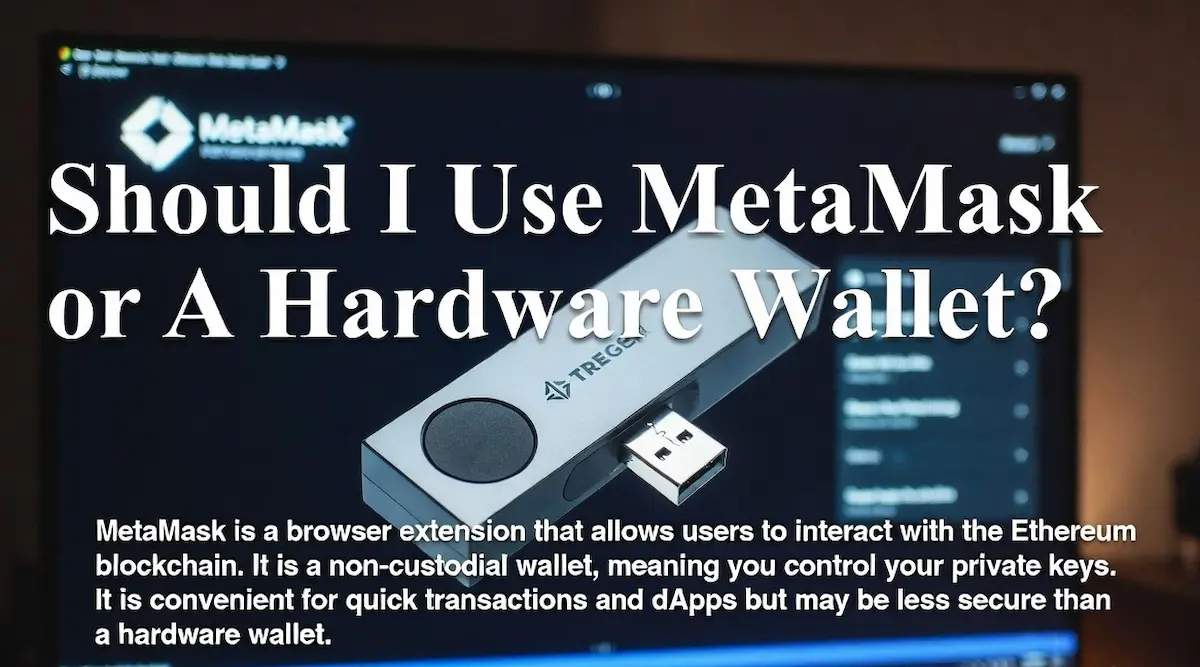
First, set up your personal wallet. This could be a software wallet such as MetaMask or Trust Wallet, or a hardware wallet like Ledger or Trezor. During setup, you will receive a seed phrase. Store it offline in a secure place. Never store it in screenshots or cloud storage.
Next, open your exchange account. Navigate to the withdrawal section. Select the cryptocurrency you want to withdraw. Paste your personal wallet address. Choose the correct network. Review the withdrawal fee shown by the exchange.
Exchanges often charge a fixed withdrawal fee. This is separate from blockchain gas fees. Always check the final amount that will arrive in your wallet.
After submitting the withdrawal, the exchange may require:
- Email confirmation
- Two-factor authentication
- Additional identity verification for large withdrawals
Once processed, you can track the transaction on a blockchain explorer using the transaction ID provided by the exchange.
Moving Crypto Between Personal Wallets
Transferring crypto between two wallets you control follows the same blockchain process, but there are fewer restrictions compared to exchanges.
The key focus here is accuracy and network matching.
Open the receiving wallet first. Confirm you are viewing the correct blockchain. For example, if you are receiving Ethereum-based tokens, ensure the wallet is set to the Ethereum mainnet and not a test network or alternative chain.
Then copy the address carefully. Initiate the send function from the source wallet. Paste the address, confirm the network, set the amount, and choose the transaction speed if the wallet allows.
Some wallets allow you to select gas fees manually. Higher gas fees typically result in faster confirmations. Lower gas fees may delay the transaction during busy periods.
If the transfer is urgent, consider selecting a higher fee option.
Using a Hardware Wallet for Secure Transfers
A hardware wallet is one of the safest ways to store cryptocurrency long-term. It keeps your private keys offline, reducing exposure to hacking or malware.
When transferring crypto using a hardware wallet:
- Connect the device to your computer.
- Open the official wallet software.
- Verify the receiving address on the device screen itself.
Always confirm that the address shown on your computer matches the address displayed on the hardware wallet screen. Malware can sometimes alter copied addresses, but it cannot change what appears on the hardware device display.
When sending funds, you will need to physically confirm the transaction on the device. This extra step adds strong protection.
If you are transferring large amounts, hardware wallets are strongly recommended.
What Happens If You Send Crypto to the Wrong Address
One of the most important realities in crypto is that transactions are irreversible.
If you send crypto to the wrong address and that address belongs to someone else, there is usually no recovery option.
Blockchains are decentralized systems. There is no central authority to reverse transactions.
There are a few limited scenarios where recovery might be possible:
If you sent funds to an exchange address and forgot a required memo or tag, you may be able to contact the exchange support team. They might recover the funds after verification, though this can take time and may involve a fee.
If you accidentally sent tokens to the correct wallet address but on the wrong compatible network, recovery might be possible if you control the receiving wallet’s private keys. In such cases, technical steps can sometimes restore access, but the process depends on the specific networks involved.
However, if you sent funds to a completely incorrect and unrelated address, recovery is extremely unlikely.
This is why triple-checking addresses and networks is critical.
Understanding Memos, Tags, and Destination IDs
Some cryptocurrencies require more than just a wallet address.
For example, XRP and certain exchange deposit systems use a memo, tag, or destination ID. This extra identifier ensures that the exchange credits the correct user account.
If you are sending crypto to an exchange and it asks for:
- Memo
- Destination tag
- Reference number
You must include it exactly as provided.
If you omit this information, the exchange may not automatically credit your deposit. In many cases, you can recover the funds by contacting support, but the process may be slow.
Always read deposit instructions carefully before sending funds to exchanges.
How to Track a Crypto Transaction
After initiating a transfer, you can monitor its status through a blockchain explorer.
Each blockchain has its own explorer. For example:
- Bitcoin transactions can be tracked through a Bitcoin explorer.
- Ethereum transactions can be tracked using an Ethereum explorer.
To track a transaction:
Copy the transaction ID provided by your wallet or exchange.
Paste it into the appropriate blockchain explorer.
Review the status and confirmation count.
If the transaction shows as pending, it is waiting to be included in a block.
If it shows confirmed, it has been successfully validated by the network.
Understanding this process helps reduce anxiety during transfers, especially when network congestion causes delays.
Managing Network Congestion
Blockchain networks can become congested during periods of high demand. This increases transaction fees and slows confirmations.
For example, during major market movements or popular NFT launches, Ethereum gas fees can spike significantly.
To manage congestion:
- Check current network fees before sending.
- Use fee tracking tools to estimate optimal gas prices.
- Avoid peak hours if the transfer is not urgent.
Some wallets show recommended gas fee levels such as low, average, and high. Choosing the appropriate level depends on how quickly you need the transfer confirmed.
Transferring Stablecoins Between Wallets
Stablecoins such as USDT or USDC are commonly moved between wallets for trading or storage.
Because many stablecoins exist on multiple networks, extra caution is required.
For example, USDT can exist on:
- Ethereum network
- Tron network
- Other compatible chains
Before transferring stablecoins:
Confirm which version you are holding.
Confirm which network the receiving wallet supports.
Select the matching network during withdrawal.
Sending USDT on Ethereum to a wallet that only supports Tron-based USDT can result in complications.
Matching the network is more important than matching just the token name.
Tax and Record Keeping Considerations
While transferring crypto between your own wallets is generally not considered a taxable event in many jurisdictions, keeping accurate records is still essential.
Maintain records of:
- Transaction IDs
- Dates and times
- Amounts transferred
- Fees paid
These records help with portfolio tracking and tax reporting when you eventually sell or trade your assets.
Using portfolio tracking software can simplify this process and give you a clear overview of your crypto movements.
Final Safety Checklist Before Sending Crypto
Before confirming any crypto transfer, go through this quick checklist:
Is the wallet address correct?
Have you double-checked the first and last characters?
Is the network selected correctly?
Does the receiving wallet support this network?
Have you included a memo or tag if required?
Are you comfortable with the transaction fee?
Have you considered sending a small test amount first?
If every answer is yes, you can proceed with confidence.
Conclusion
Transferring crypto between wallets is not complicated, but it demands precision. Every transaction is final. There is no undo button, no chargeback, and no customer service line that can reverse a blockchain confirmation.
By understanding networks, transaction fees, confirmations, and common mistakes, you dramatically reduce the risk of losing funds. Always verify the network. Always double-check the wallet address. Always review fees before confirming.
Crypto gives you financial sovereignty. With that sovereignty comes responsibility. Treat every transfer with care, follow a consistent process, and use security best practices every time.
Move slowly. Verify everything. Then click send.
That small pause before confirming is often the most valuable step in the entire process.
Read also: How to Secure NFTs in a Wallet