
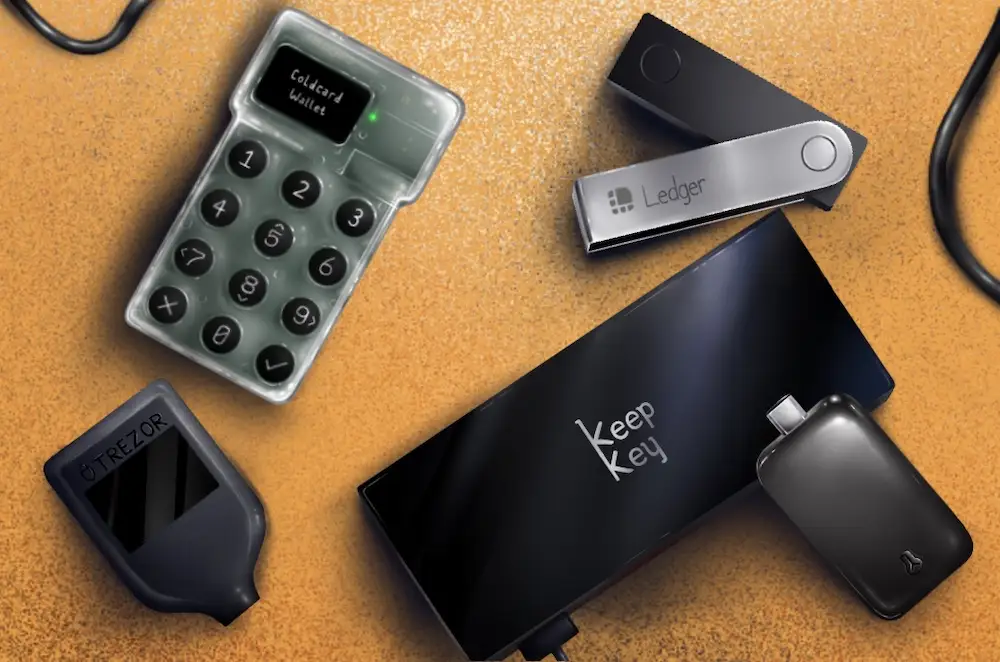
In 2025, cryptocurrency is still gaining popularity and attracting both long-term investors and new traders. Along with this growth, cyber threats and hacks that deal with online wallets and exchanges increase. Losing your crypto to a hack can be devastating. This is the reason a hardware wallet or offline wallet has found an essential place. Unlike online storage or software wallets, hardware wallets hold your private keys offline, making it very hard for hackers to access your funds. If you’re concerned about your crypto’s security and want full control over your assets, investing in a reliable hardware wallet is a great choice.
Why Hardware Wallets are Important
The most important aspect of owning cryptocurrency is management of your private keys. Private keys, on the other hand, are secret codes, and they give you access to your crypto and also enable you to transfer it. If someone steals your private key, then they can take all your funds. This is why it is important to secure keys.
Hardware wallets offer offline cold storage, meaning your keys are stored away from the internet. Unlike online wallets, which are in constant contact and are vulnerable to attacks, hardware wallets keep your crypto offline until you physically approve a transaction. This is an added layer of security, which is very important, especially to long-term investors looking to secure large amounts of cryptocurrency.
By using a hardware wallet, you remain the sole owner and controller of your assets. You are not using third parties or exchanges based on platforms that may get hacked or go bankrupt. For anyone serious about crypto security, hardware wallets are a practical and reliable choice.
Our Testing Process
We experimented with each of the hardware wallets based on a number of key criteria:
- Security: We checked encryption, PIN, recovery, and resistance to physical attacks and digital attacks.
- Ease of use: We measured the ease of use by how easy it is for a beginner to set up, navigate, and complete transactions.
- Setup speed: We covered how long it takes from unboxing to doing your first transaction.
- Backup features: We evaluated the recovery seed options and ease of recovering the funds.
- Compatibility: We tested support for mobile devices, desktop apps, and multiple cryptocurrencies.
- Value for money: We considered price versus the features, security, and usability.
After doing proper testing, we ranked each wallet according to performance, user experience, and overall value.
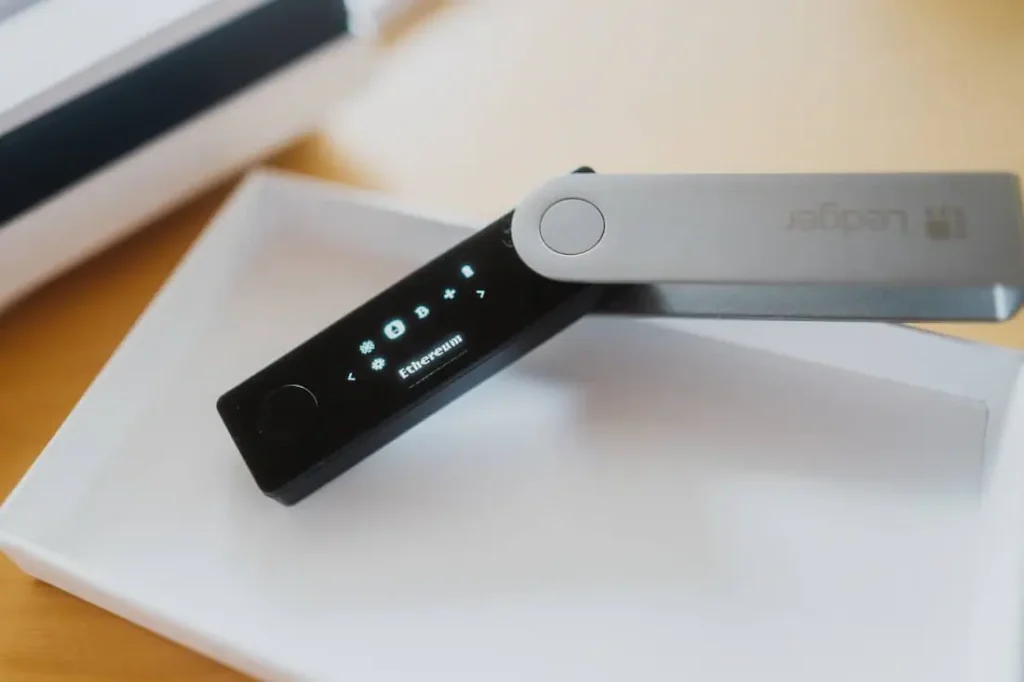
Top Pick: Ledger Nano X
- Score: 9.5/10
- Price: $149
The Ledger Nano X is our top recommendation. This wallet is a perfect mix of security, good support for the coin, and good modern convenience. One, in particular, is its appreciable support for Bluetooth, which allows you to manage your crypto on mobiles. The Nano X supports hundreds of cryptocurrencies, making it ideal for the users who have multiple assets.
We found the setup process for the Ledger Nano X to be quick and easy. It provides secure PIN protection and recovery seed backup options. Even if your device gets lost or damaged, you can restore your funds using the recovery seed. The hardware encryption technique in the wallet achieves the function of ensuring your private keys will never meet the hackers as your crypto remains safe.
Overall, the Ledger Nano X is a balance of security, usability, and mobile convenience. This wallet is perfect for investors who want a robust, secure wallet for their day-to-day needs or long-term storage or who need to manage multiple coins in their wallets. Its price might cost more compared to the budget, but the extra features and peace of mind are worth it.
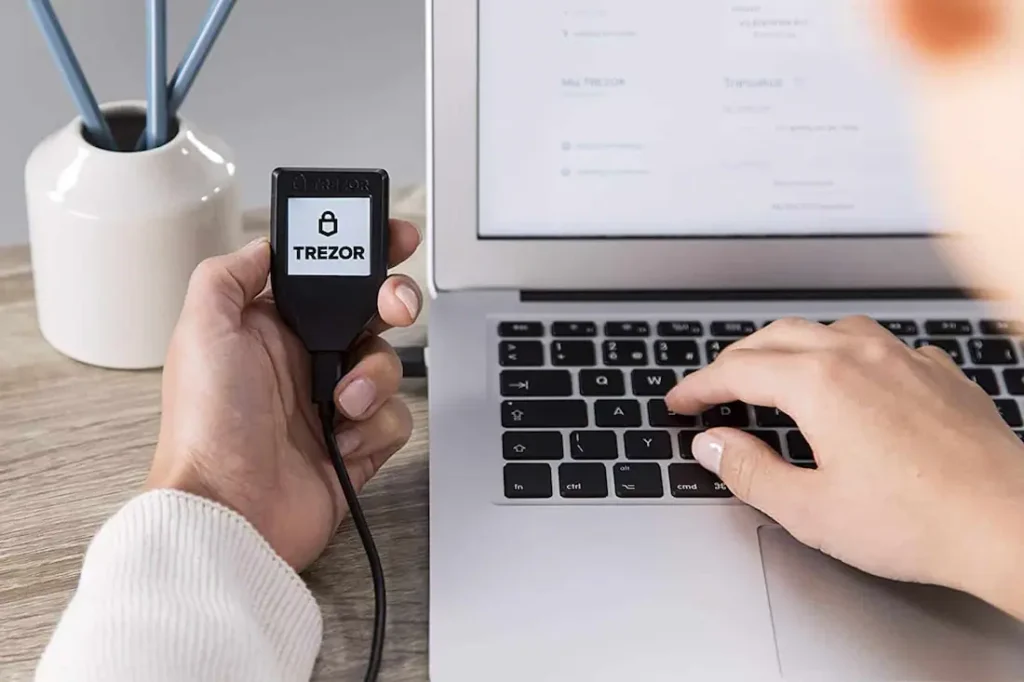
Trezor Model T Review
- Score: 9.0/10
- Price: $169
The Trezor Model T is another high-quality hardware wallet. Its touch screen display makes navigation intuitive and easy to use. The wallet has support for a wide range of cryptocurrencies and some advanced security features, such as passphrase protection and open-source firmware. Open-source software is available for the community to watch the security of the wallet for an added measure of confidence for tech-savvy users.
While the Trezor Model T is in all ways excellent in terms of security and features, it does not support Bluetooth. This means you have to connect the wallet via USB to manage crypto on mobile devices, which is less convenient. Additionally, its higher price makes it a little bit less interesting for casual users.
The Trezor Model T is the most recommended for investors who value enhanced security and transparency. If you appreciate the use of open-source technology and you don’t mind using wired connections, then this wallet is a perfect choice.
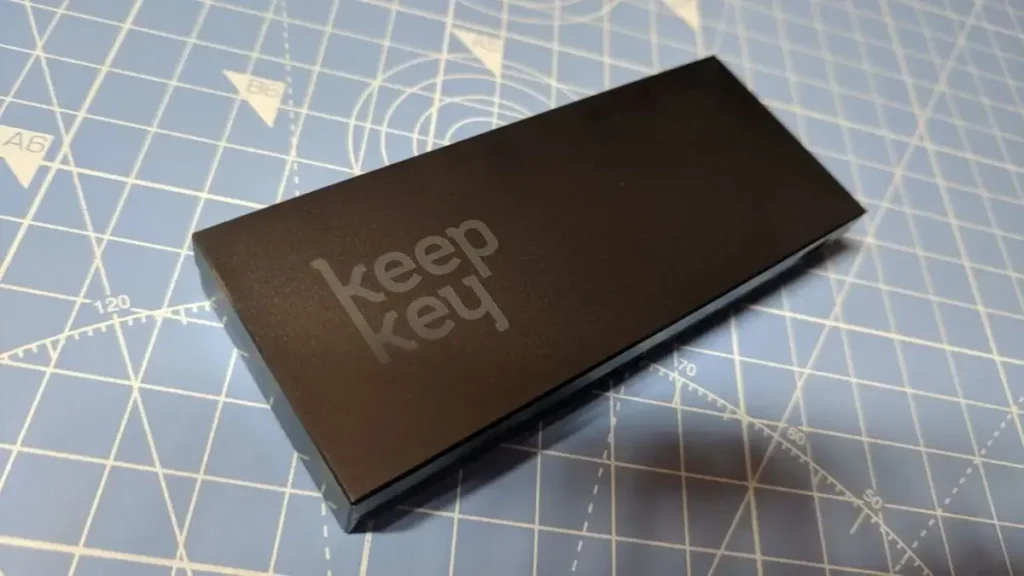
KeepKey Review
- Score: 7.5/10
- Price: $49
KeepKey stands out because it is affordable. At $49, it has a large, easy-to-read display and offline (secure) storage. Its setup process is simple, making it beginner-friendly. PIN protection is available on KeepKey along with a recovery seed that can be used to restore your crypto if the device is lost.
But KeepKey has limitations. Here it holds fewer cryptocurrencies than Ledger or Trezor, and its security is not very advanced. KeepKey also does not offer mobile app support, which means that you have to use a computer to manage your crypto. Despite these drawbacks, KeepKey is a great option for users who want to use basic cold storage without having to pay a high price.
KeepKey is suitable for beginner investors or investors with small crypto holdings who are in need of security at very affordable costs and easy-to-use features.
Comparison Table Explained
Here’s a summary of our testing results:
| Feature | Ledger Nano X | Trezor Model T | KeepKey |
|---|---|---|---|
| Score (/10) | 9.5 | 9.0 | 7.5 |
| Price (USD) | $149 | $169 | $49 |
| Bluetooth/Mobile | Yes (iOS/Android) | No (USB only) | No (Desktop only) |
| Supported Coins | 5,500+ | 1,000+ | 40+ |
| Open-Source | Partial | Yes | No |
| Screen Type | OLED | Touchscreen | Large LCD |
| Setup Time | <5 min | <10 min | <5 min |
| Security Extras | CC EAL5+ | Passphrase | Basic PIN |
| Best For | Daily/Mobile Users | Tech-Savvy Security | Budget Beginners |
- Ledger Nano X: High security, mobile support, and wide coverage of coins make Nano X suitable for daily users and investors that are serious.
- Trezor Model T: Best for advanced security and tech-savvy users who value open-source software.
- KeepKey: Great for beginners or people that need to save on costs but have good basic security features.
This comparison helps you understand that your option is based on your priorities: mobile convenience, advanced security, or inexpensive options.
Final Verdict
After thorough testing, Ledger Nano X comes out on top when it comes to the best hardware wallet. Its combination of Bluetooth convenience, robust security, broad coin coverage, and easy-to-use interface provides the best balance of features and value.
| Wallet | Pros | Cons |
|---|---|---|
| Ledger Nano X | Bluetooth convenience; 5,500+ coins; Fast setup; Strong encryption | Higher price; Past firmware controversies (resolved 2025) |
| Trezor Model T | Open-source transparency; Touchscreen ease; Advanced passphrase | No Bluetooth; Slightly pricier; USB-only |
| KeepKey | Ultra-affordable; Simple large display; Quick PIN backup | Limited coins (40+); No mobile app; Basic security only |
Trezor Model T is a close second, which has excellent security and open-source firmware as well, but it is more expensive and has limited mobile support, so it is not as convenient for everyday use. KeepKey is a good choice for users on a budget, but it does not come with any advanced features or mobile functionality.
For anyone who is serious about securing their cryptocurrency in 2025-2026, there is no better or more versatile solution than Ledger Nano X.
FAQs
What is a hardware wallet, and why do I need one?
A hardware wallet is a physical device that stores your crypto’s private keys offline. You need to have it to protect your crypto from being hacked, phished, and stolen online. Unlike software wallets or exchange wallets, hardware wallets are safer from hackers because they store your funds, even if your computer or phone becomes hacked.
Is Ledger Nano X safe?
Yes. The Ledger Nano X has a secure element and the Ledger Live app that protects your crypto. Always buy from official sources to avoid tampered devices.
Can I lose my digital assets with hardware wallets?
Only if you lose your recovery seed without backup. Your private keys never leave the device, so your funds are on-chain, not stored on the wallet itself.
Do hardware wallets support mobile phones?
Yes. Many modern wallets offer Bluetooth or QR codes to connect via, letting you control assets on your smartphone and keep private keys securely offline.
What happens if my hardware wallet is stolen?
Thieves cannot get any of your money without your PIN and recovery seed. You can then simply restore your crypto on a new and trusted hardware wallet using your backup.
Are hardware wallets better for storing crypto than exchanges?
Yes. Hardware wallets give you complete control over your private keys. Exchanges are custodial, which means that they hold your keys, and that makes your crypto more vulnerable to hacks. Cold wallets keep your assets more secure offline.
Which hardware wallet is the safest to use?
According to our testing, Ledger Nano X is the safest of all. It combines powerful encryption, PIN protection, recovery seed backup, and mobile support. The Trezor Model T is also very secure with open-source firmware and advanced security features.
Can I use a hardware wallet for multiple cryptocurrencies?
Yes. Modern hardware wallets such as Ledger Nano X and Trezor Model T can be used to store hundreds of cryptocurrencies. KeepKey supports fewer coins and works quite well with major coins like Bitcoin, Ethereum, and Litecoin.
How do I recover my crypto if my hardware wallet is lost or damaged?
All hardware wallets offer a recovery seed (12-24 words) in the setup process. If your device gets lost or damaged, use this seed to restore your crypto on a new wallet. Keep the seed secure and never post it online.
Are budget hardware wallets safe to use?
Yes, there are budget wallets such as KeepKey, which are secure but have fewer functionalities, like limited coins and no mobile app compatibility. They are good for a beginner or a smaller holding, while more expensive models such as Ledger Nano X or Trezor Model T are better for more advanced users.
References: Best Christmas Crypto Gifts Under $50